Brillouin Zones#
Some support for calculating and plotting Brillouin zones in PyARPES is
included via ASE, the Atomic
Simulation Environment. You will need to install ase as an optional
dependency, for instance via pip, in order to use functions
associated with plotting Brillouin zones in PyARPES.
Plotting zones in 2D and 3D#
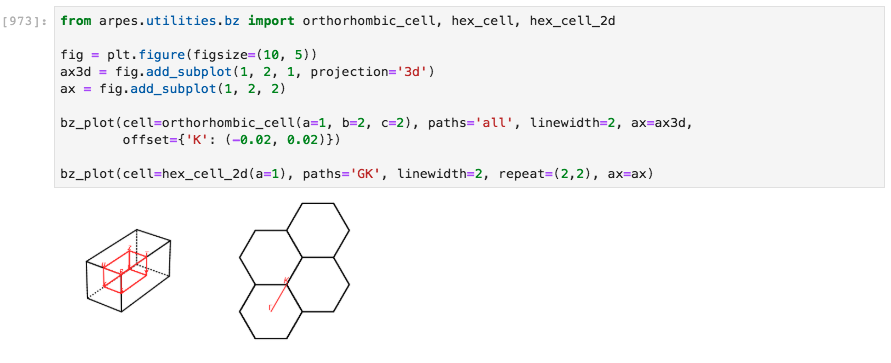
Drawing Brillouin zones in 2D and 3D#
Plotting ARPES data onto 2D zones#
As an example, we can plot low temperature ARPES data of 2H-NbS2 onto
the appropriate hexagonal Brillouin zone. The data must first be
converted to momentum space, stored here as kdata.
Additional Brillouin zones can be addressed with the
bz_numberparameter.
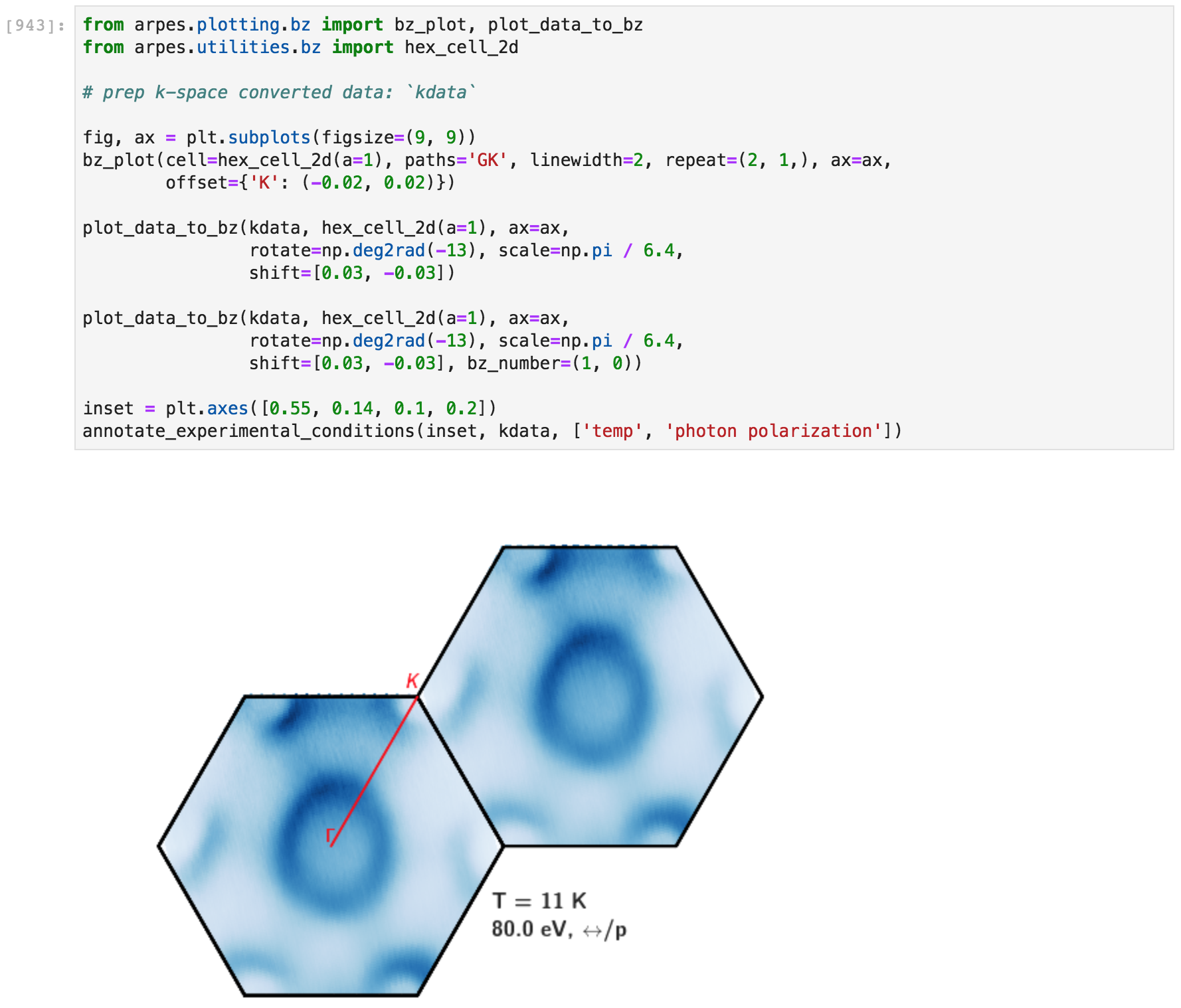
Plotting ARPES data onto Brillouin zones#
Note: PyARPES does not currently support plotting data onto 3D Brillouin zones, but we anticipate that this will be supported in future releases.
Plotting cut locations onto 3D zones#
Frequently it is beneficial to indicate the schematic location of a 2D arpes cut onto the 3D zone, neglecting the dispersion of kz in the case of in-plane momentum maps.
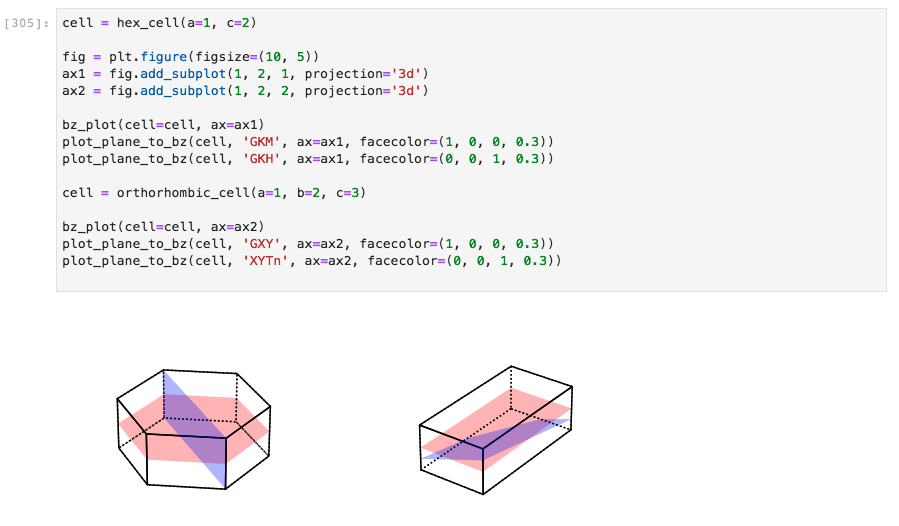
Plotting cuts through zones#
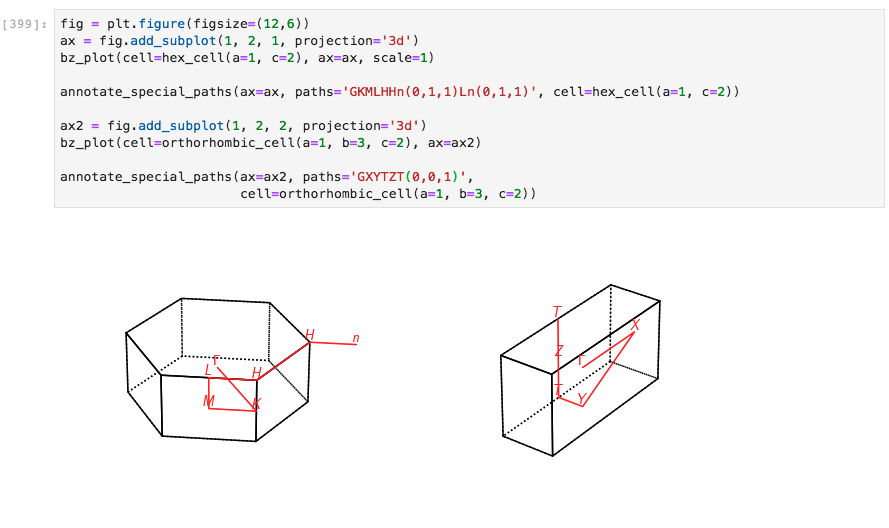
Plotting paths through 2D and 3D zones#
Paths through zones can also be plotted. PyARPES supports paths defined
by high symmetry points (G, Y, L, etc.), as well as the
negatives of these points (as vectors relative to zone center), for
instance Gn. Furthermore, you can access symmetry points in second
and higher zones, with K(1, 0, 0) in 3D or with G(0, 1) in two
dimensions, as examples.
Paths through Brillouin zones#